A Plain-English Guide to DEP's Online Systems: Setting Up GreenPort Accounts, Managing eDMR Access, and Fixing Login Problems
If you run a facility covered by PAG-03, Pennsylvania's industrial stormwater general permit, your discharge monitoring reports don't go in the mail. They go through DEP's online systems, and the first time you try to use them, it can feel like the paperwork was easier. You need an account on a portal called GreenPort, then a separate registration for a reporting system called eDMR, and then someone has to approve your access. Everything is tied to individual people, so the whole thing can stall the day an employee leaves or a password stops working.
This guide covers how the pieces fit together, how to set up accounts, who can do what, what to do when someone leaves, and the login problems we see most often. DEP updates these systems from time to time, so we point to its current guides where screens or names may shift. If you'd rather hand some of this off, you can reach out to RMA at any point.
Table of Contents
TL;DR
Pennsylvania PAG-03 facilities file DMRs through eDMR, which you reach by logging in to Keystone GreenPort, DEP's online account platform. You create a GreenPort account, send DEP two registration forms signed by your Certifiers, and then each user requests eDMR access for your permit. Because access is tied to individuals, the biggest risk is losing your only Certifier, so name two and keep an offboarding checklist. Most login problems come from old pre-2021 accounts, unapproved access, the wrong role, or the wrong device, and DEP's help desk can handle the rest.
What Are GreenPort and eDMR, and How Do They Fit Together?
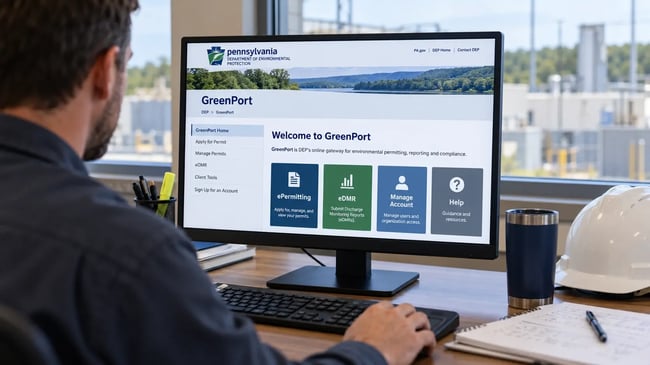
GreenPort, now called Keystone GreenPort on DEP's current pages, is the login and account platform. Think of it as the front door. One GreenPort account can be enrolled in different DEP programs, and it's where you sign in before you reach anything else. eDMR is the electronic reporting system behind one of those doors. It's where PAG-03 permittees enter, certify, and submit their monitoring results. DEP requires eDMR for PAG-03 permittees, along with several other permit types, and it doesn't support phones or tablets, so plan on a computer with Microsoft Edge or Google Chrome.
| System |
What It's For |
Who Uses It |
| Keystone GreenPort |
DEP's login and account platform that gives you access to programs like eDMR |
Anyone who files, prepares, or reviews reports |
| eDMR |
Preparing and submitting discharge monitoring reports and attachments |
Your preparers and certifiers |
| eDMR data search |
A public report viewer for submitted eDMR data |
Anyone, including consultants, neighbors, and regulators |
| eFACTS |
DEP's public lookup for facility, permit, and compliance information |
Anyone checking what DEP has on file |
Not every PAG-03 filing runs through the same door. The DMRs go through eDMR. The Annual Report instructions say it goes to the DEP regional office that approved your coverage, and your NOI (the Notice of Intent that requests coverage) and any renewal follow DEP's current instructions for that form. When DEP changes how a filing is submitted, its permit instructions and eDMR page are where the change shows up first, so check them rather than trusting an old checklist. For background on what a DMR is, see our explainer on discharge monitoring reports.
How Do You Create a GreenPort Account?
Every person who will touch eDMR needs their own GreenPort account, and the account has to exist before you can request access to anything. From the GreenPort login page, use the self-registration button, enter your information, and create the account. You'll get your login details by email, so use an address you'll still control next year. A personal address tied to a former employee is one of the most common reasons we see a facility locked out later.
A few details trip people up. Use your own name, because the account represents you and it will be attached to what you certify. If you had a GreenPort account from before March 2021, DEP's page says you have to create a new Keystone account and import your access, or you won't be able to log in to eDMR at all. And skip the shortcut of sharing one login among the team. Certifying a report is a personal statement, and a shared login makes it impossible to say who did what.
Once the account exists, it doesn't give you eDMR access by itself. It only gets you to the portal. The next step is registering your facility and asking for access.
How Do You Register for eDMR After Creating Your GreenPort Account?
Registration happens on paper before it happens on screen. DEP's eDMR page says required facilities must submit complete registration paperwork within 30 days after a new permit is issued or after coverage under a general permit like PAG-03 is approved. The paperwork is two forms: the eDMR Permittee Registration Form (3800-FM-BCW0424) and the eDMR Trading Partner Agreement (3800-FM-BCW0425), which every Certifier has to sign. DEP recommends emailing them to RA-EPDMR@pa.gov. Download the current versions from DEP's eDMR page and follow the instructions on the registration form, since DEP won't process the request if pages are missing. Our guide to Pennsylvania's eDMR reporting covers the full list of attachments PAG-03 facilities send with it.
After DEP registers the facility, each person requests access. According to DEP's eDMR user guide, you log in to GreenPort, choose Enroll, click the eDMR button, enter your permit number, and submit the request for eDMR access. A Certifier for your facility then approves or rejects it. Requests don't work for a facility that hasn't been registered yet, and the registration step can take 30 days or more. If your first DMR is coming up, start the paperwork as soon as your coverage is approved.
What Can Viewers, Preparers, and Certifiers Do in eDMR?
eDMR gives each user one of three roles, and choosing them well saves a lot of trouble later. The roles stack, so each one can do everything the one before it can do.
| Role |
What They Can Do |
Who It Usually Fits |
| Viewer |
See reporting requirements, report status, and submitted data |
Managers, executives, and consultants who need to review but not file |
| Preparer |
Everything a Viewer can do, plus enter data, attach files, and save unsubmitted reports |
Environmental coordinators, lab liaisons, and plant staff who collect results |
| Certifier |
Everything a Preparer can do, plus submit reports and grant or revoke Viewer and Preparer access |
The person with authority to sign for the facility, usually a manager or owner |
The split is useful. A preparer can build the whole report and click Ready to Submit, then a certifier reviews it and submits it. That keeps the person who signs separate from the person who types the numbers. Since Certifiers also approve access requests, they're the people the whole system depends on. We'd name at least two, which leads to the next problem.
How Do You Submit a DMR in eDMR Step by Step?
The steps below follow DEP's eDMR user guide. Screens and button names change when DEP updates the system, so keep the current guide open next to you. PAG-03 uses a separate DMR for each outfall, so repeat the process for every monitored outfall.
- Log in to GreenPort, open eDMR, pick your facility from the Home tab, and click Start/Edit on the report that's open.
- For each sampling point, either check No Discharge (the system asks you to confirm) or enter the result for each parameter, including any required no data code, sample type, and frequency. Save after each parameter.
- When every parameter shows a check mark, continue, and upload any required attachments, such as lab reports.
- Add optional comments and the operator information. If a result breaks a limit, the system flags it, and you may need to complete a non-compliance report.
- A Preparer clicks Ready to Submit and logs out. A Certifier then opens the report, clicks Submit Report, checks the certification acknowledgement, and submits.
If you find a mistake after submitting, use View/Revise Submitted, choose a revision reason, and re-submit with comments. Print or save a copy once it's in, since you're expected to keep monitoring records for at least three years. The No Discharge box and the no data codes are easy to misuse, and our article on reporting NODI on a DMR explains when each applies. If your results come back high, read what to do when sampling results are high before you certify.
What Happens to GreenPort and eDMR Access When an Employee Leaves?
This is the problem we hear about most. Access is tied to a person, and the paper trail is tied to that person too, because the Certifiers sign the Trading Partner Agreement when you register. When the one Certifier at a facility retires, gets laid off, or just stops answering email, you can end up with nobody who can submit a report or approve a new user. Preparers can still build the DMR, but they can't send it in, and a new hire can't get access because the person who would approve the request is gone.
The fix isn't done in GreenPort alone. DEP's user guide says changing Certifiers takes DEP forms, specifically the Permittee Registration Form for modifying Certifiers plus the Trading Partner Agreement, and removing one takes the registration form. That means it can take days or weeks, so it shouldn't wait for a deadline. A DMR deadline is a bad day to learn that.
How Do You Protect Your Facility From a Lockout?
Name two Certifiers from the start, ideally at different levels of the company, so one departure doesn't freeze everything. Keep a short offboarding checklist that includes removing or changing eDMR access, and let a remaining Certifier revoke Viewer and Preparer access in GreenPort. Use company email addresses that a manager can still reach, and write down who holds each role. Once a year, log in and confirm the people on the list still work for you. If a Certifier is already gone, gather the forms and contact DEP's eDMR registration email right away instead of waiting for the next report to come due.
What Are the Most Common GreenPort and eDMR Login and Access Problems?
Most of the problems we see fall into a handful of patterns. Here's what each one usually means and what to try first.
| What You See |
Likely Cause |
What to Try |
| You can't log in, or your old login doesn't work |
You had a GreenPort account from before March 2021 and never moved to Keystone |
Create a new Keystone account and import your access, then try again |
| The eDMR button or your facility isn't showing |
The facility isn't registered for eDMR yet, or your access request hasn't been approved |
Check that DEP processed your registration forms, then ask a Certifier to approve your request |
| Your access request sits unanswered |
No active Certifier, or the Certifier isn't watching GreenPort |
Call the Certifier directly, and if there's none, start the forms to modify Certifiers |
| You can fill in the report but there's no Submit button |
You have Preparer access, which can't submit |
Click Ready to Submit and have a Certifier submit, or request Certifier access through DEP's forms |
| Pages won't load or buttons don't work |
You're on a phone or tablet, or an unsupported browser |
Switch to a computer with Microsoft Edge or Google Chrome |
| You forgot your username or password, or the system shows an error |
Account recovery or a system fault |
Call DEP's help desk at 717-787-4357, Monday to Friday, 8:00 am to 4:30 pm, and have a screenshot of any error |
| The system is down on the day the DMR is due |
A DEP outage |
Log in early, screenshot the problem, and contact DEP on or before the due date; DEP's eDMR contingency plan explains the backup process |
The best habit is the plainest one. Log in a few days before the due date to confirm the report is available and your access works. A problem found on the 20th can be fixed, while the same problem found at the deadline turns into a late report.
How Can RMA Help With GreenPort and eDMR Filing?
If you want help, we work with Pennsylvania facilities all the time on the reporting side of PAG-03. We can walk you through the registration forms, set up your roles so a single departure doesn't lock you out, prepare your DMRs, and help you decide what to report when results look off. You can see more of what we do on our Pennsylvania NPDES and stormwater services page, and our PAG-03 permit and sampling guide explains how the sampling behind the reports works.
If your team already has accounts working and a backup Certifier in place, you may not need us for any of it, and we'll tell you so. There's no pressure and no obligation. You can call us at 888-RMA-0230, email info@rmagreen.com, or fill out the contact form on our website and tell us what you're running into.